Hi @Paula Mantrozos,
Good day! Thank you for reaching out to Microsoft Q&A forum ad sharing your issue.
To help you configure Microsoft Teams so that most of your meetings allow participants to join directly (bypassing the lobby) and enable everyone to share content, here’re some suggestions you can try:
Option 1: Change Settings for Individual Meetings
You can manually adjust settings for each meeting:
- Open Microsoft Teams and go to Calendar.
- Double click the meeting that you'd like to set up
- Click Meeting Options.
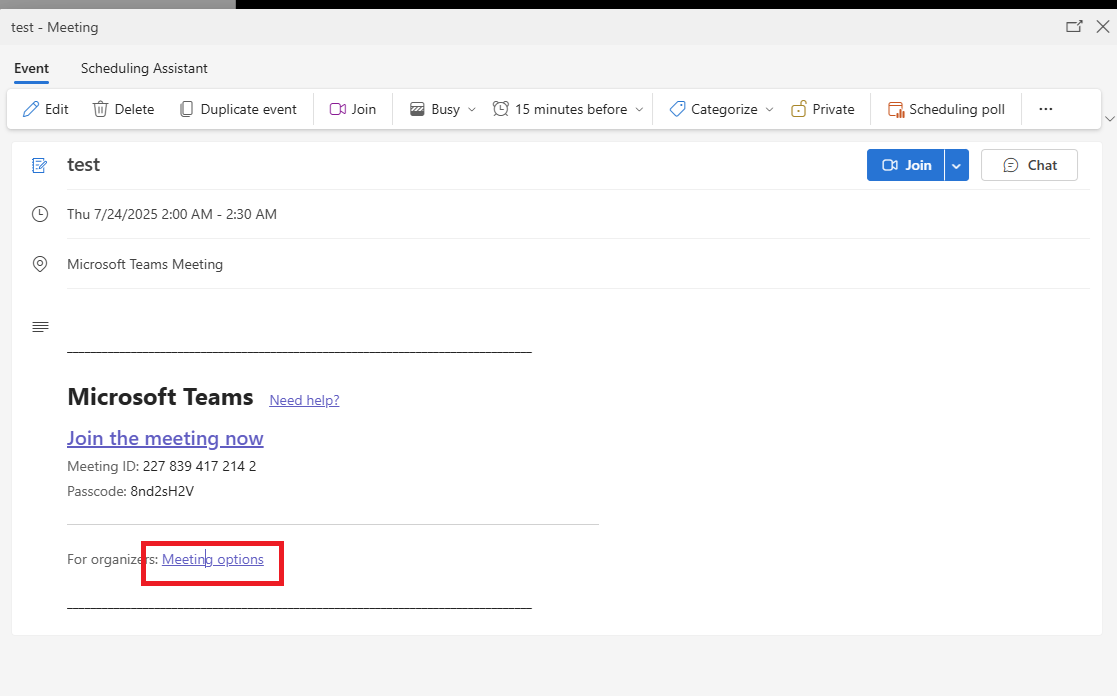
- In the browser window that opens:
- Set Who can bypass the lobby? to Everyone.
- Set Who can present? to Everyone (if you want all participants to share content).
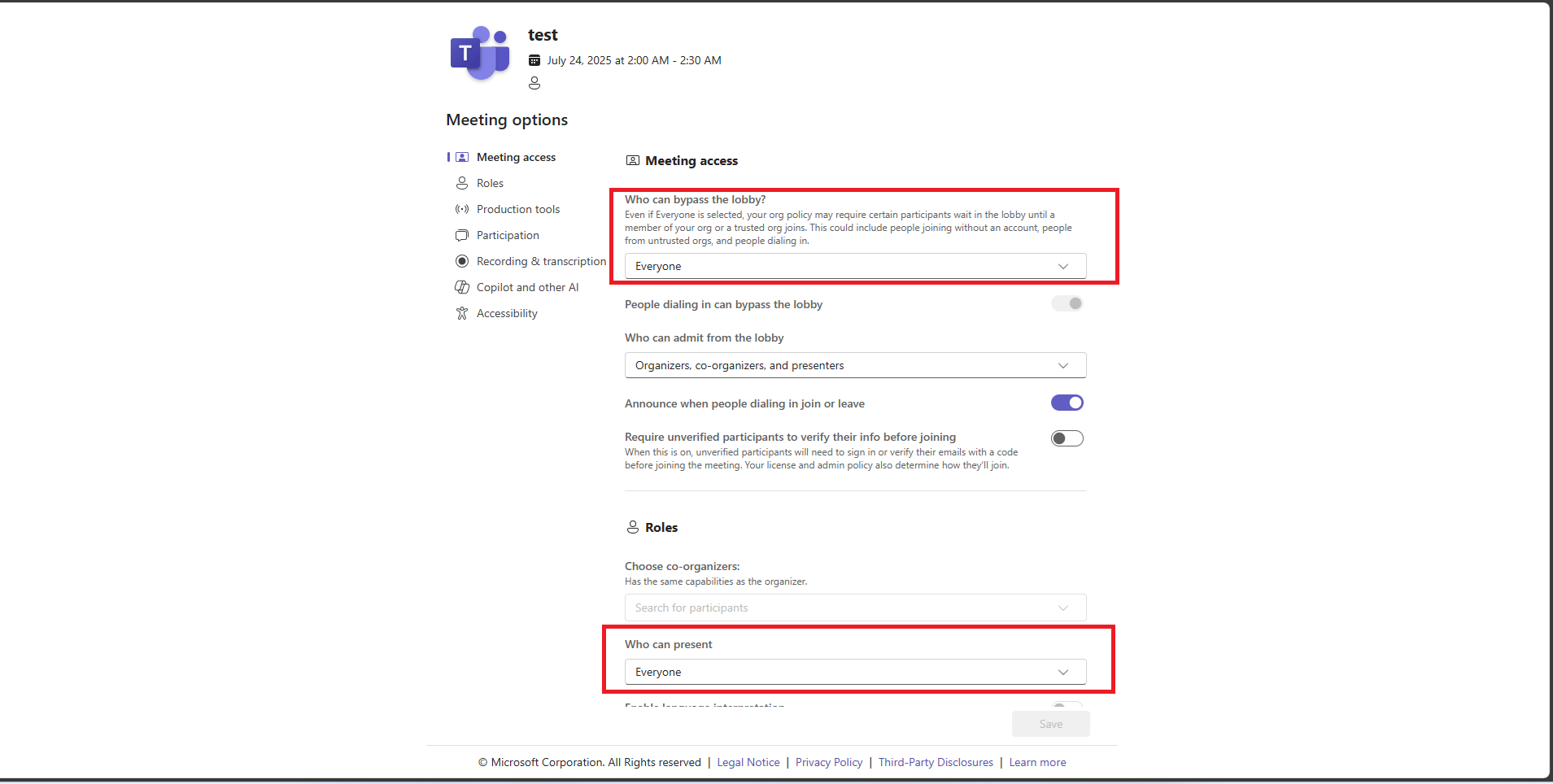
This method works for both scheduled and unscheduled meetings
Option 2: Set Defaults via Meeting Policies (Admin Required)
If you want these settings to apply automatically to most or all meetings:
- Ask your IT admin to go to the Teams Admin Center.
- Navigate to Meetings > Meeting Policies.
- Edit the policy assigned to your account:
- Set Who can bypass the lobby to Everyone.
- Set Who can present to Everyone
Note: These are default settings - organizers can still override them per meeting. To enforce them, you’ll need Teams Premium to use sensitivity labels or locked templates
Option 3: Use Meeting Templates (Teams Premium)
If you have Teams Premium, you can:
- Create a custom meeting template with your preferred settings.
- Lock the lobby and presenter settings so they can’t be changed.
- Assign this template to yourself or your team.
This ensures consistency across meetings without manual changes
If you need any further assistance or clarification, feel free to reach out. We're here to help.
Thank you very much for your understanding and your cooperation.
If the answer is helpful, please click "Accept Answer" and kindly upvote it. If you have extra questions about this answer, please click "Comment".
Note: Please follow the steps in our documentation to enable e-mail notifications if you want to receive the related email notification for this thread.
' cx='32' cy='32' r='32' /%3E%3Ctext x='50%25' y='55%25' dominant-baseline='middle' text-anchor='middle' fill='%23FFF' %3EPM%3C/text%3E%3C/svg%3E)

' cx='32' cy='32' r='32' /%3E%3Ctext x='50%25' y='55%25' dominant-baseline='middle' text-anchor='middle' fill='%23FFF' %3EKL%3C/text%3E%3C/svg%3E)