Azure Monitor
An Azure service that is used to collect, analyze, and act on telemetry data from Azure and on-premises environments.
This browser is no longer supported.
Upgrade to Microsoft Edge to take advantage of the latest features, security updates, and technical support.
' cx='32' cy='32' r='32' /%3E%3Ctext x='50%25' y='55%25' dominant-baseline='middle' text-anchor='middle' fill='%23FFF' %3EVV%3C/text%3E%3C/svg%3E)
I have created a Private Link Scope with scope id 2fafccfb-affd-4de0-9d12-82efbd900c9e under subscription f0447a9f-8f7d-49b8-a8c6-dea9813e0e63
and mapped Azure Monitor Resources on to that.
While creating private endpoint connection resource types are not loading
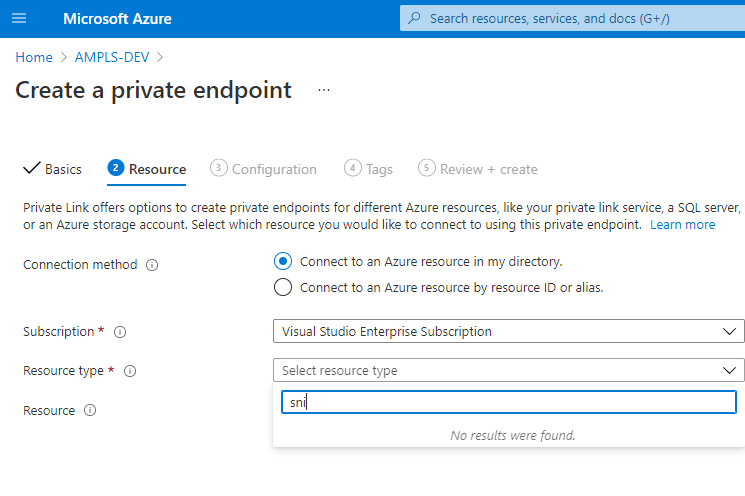
and if I copy resource id manually I am getting another error
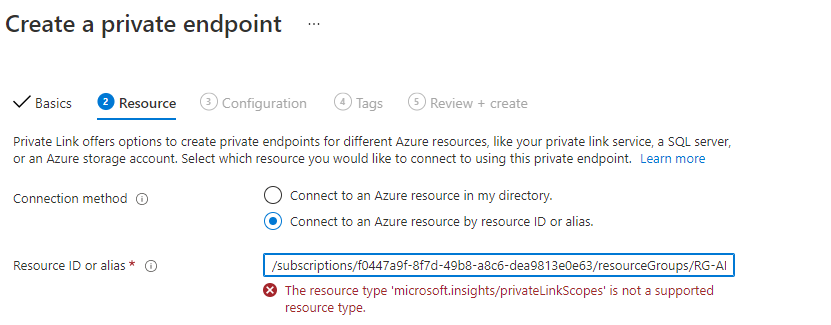
I am following https://learn.microsoft.com/en-us/azure/azure-monitor/logs/private-link-configure
Please advise
An Azure service that is used to collect, analyze, and act on telemetry data from Azure and on-premises environments.
An Azure service that provides private connectivity from a virtual network to Azure platform as a service, customer-owned, or Microsoft partner services.
' cx='32' cy='32' r='32' /%3E%3Ctext x='50%25' y='55%25' dominant-baseline='middle' text-anchor='middle' fill='%23FFF' %3EMM%3C/text%3E%3C/svg%3E)
Hello @Vijayarajan Vivek - Did the below answer help resolve your issue, if not please revert back with any questions.
and if it did, please feel free to "accept as answer" so it can be beneficial to the community.
Hello @Vijayarajan Vivek - Thanks for reaching out.
I tried reproducing your issue, and I was able to select the Resource Type and Resource without any issues.
From the 1st screenshot, for Resource Type please choose Microsoft.insights/privateLinkScopes.
And then you will be able to see the Resource you created as part of Azure Monitor Private Link Scope.
Here is what I created:
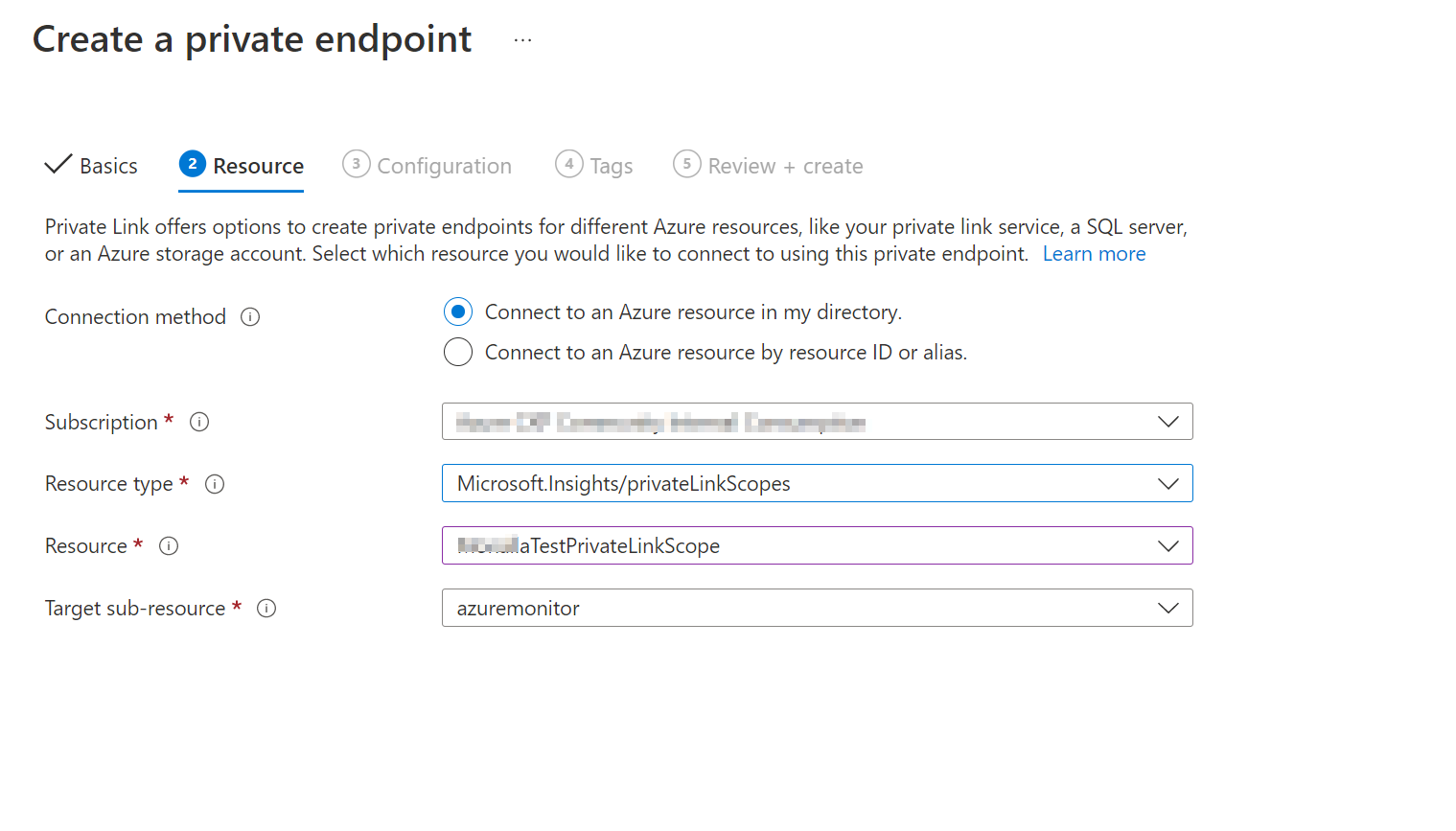
Hope that helps.
If the above response was helpful, please feel free to "Accept as Answer" so it can be beneficial to the community.
' cx='32' cy='32' r='32' /%3E%3Ctext x='50%25' y='55%25' dominant-baseline='middle' text-anchor='middle' fill='%23FFF' %3EAR%3C/text%3E%3C/svg%3E)
Hello,
Thank you for sharing this information.
I’ve also raised a question regarding a similar issue here:
Could you please take a look and help clarify this behavior?
Thank you in advance.