Note
Access to this page requires authorization. You can try signing in or changing directories.
Access to this page requires authorization. You can try changing directories.
Even if there are no active issues shown in the Service Health portal, you can now report a service-level or resource-level impact. This tool allows you to notify Microsoft about an impact even when it isn't identified as part of a broader outage.
When you submit an impact, if an outage is identified you see it on the Azure Service Health portal. For more information, see Azure Impact Reporting.
Access permission
To generate impact reports, ensure the following prerequisites are met:
- Register the Microsoft.Impact resource provider in your Azure subscription.
- Role assignment: If you're not a subscription administrator, the Impact Reporter role must be assigned to you on the subscription where the resource is located.
To report a single impact, you must have the correct permission.
Note
This option to report an impact isn't available on the Billing panel.
How to report a resource-level impact
Both service-level and resource-level reports have the same requirements:
- The start time is within the last 10 days.
- You need to have admin access or an Impact reporter role on the subscription.
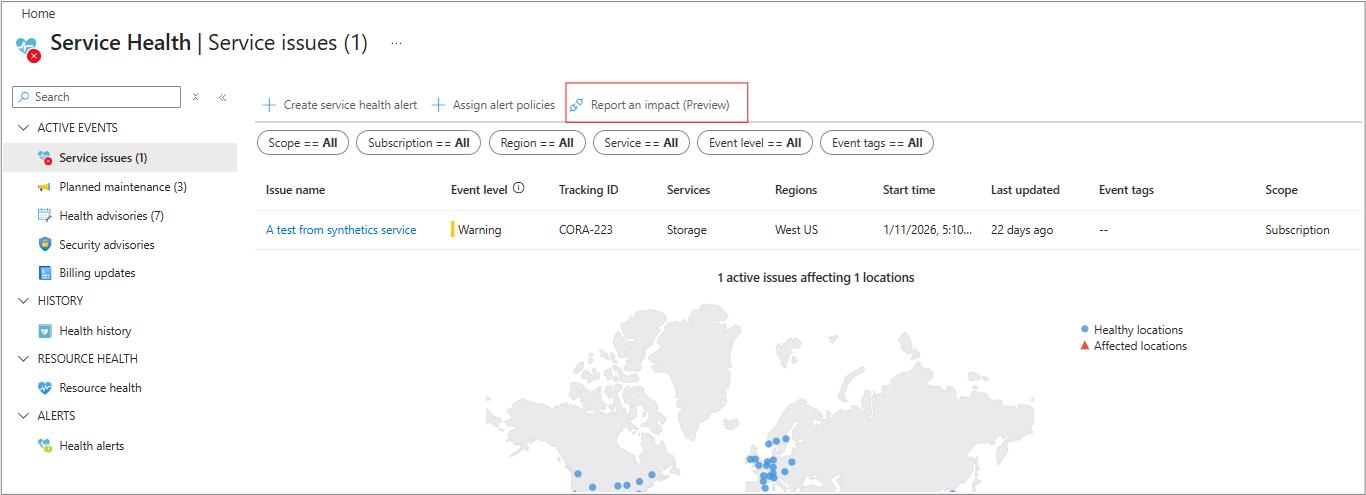
To report an impact, follow these steps.
- Select Report an impact.
- Select Single resource.
Choose this option if the problem seems to be isolated to one resource.
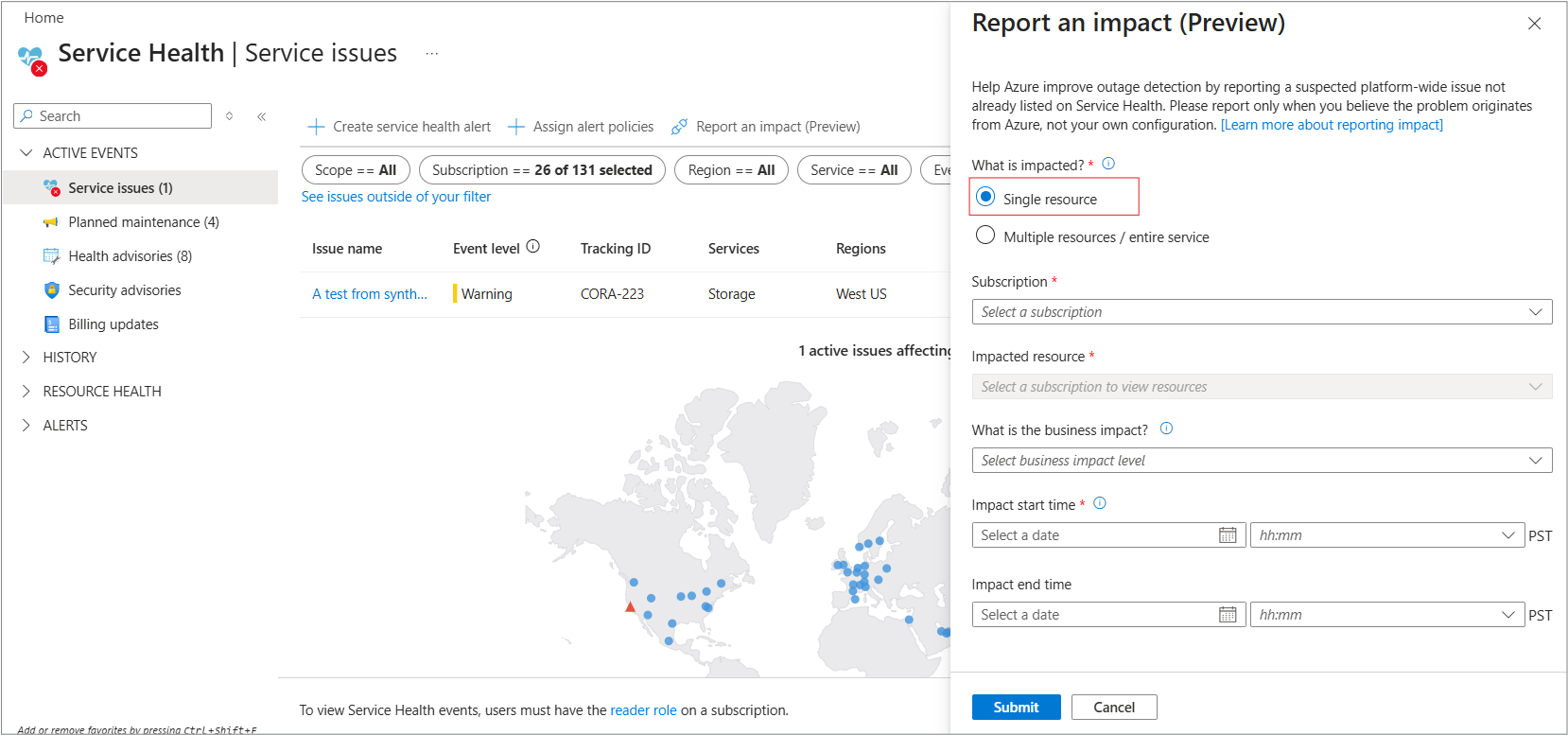
The Start time requirement is the same for both service and resource impacts.
Tip
The Impact start time and end time fields use your local timezone, not UTC.
- Fill out the required fields.
- Subscription
- Impacted resource
- What is the business impact?
- Impact start date and time.
Note
The start time must be within the last 10 days.
- Select Submit.
When your impact is reported, you should see this message.
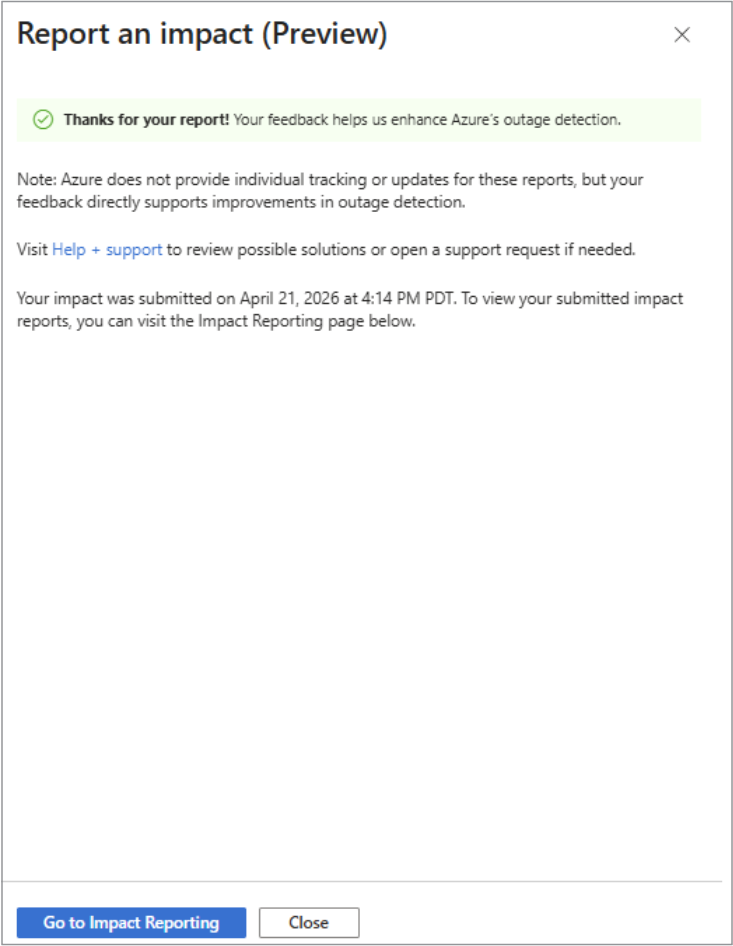
If an outage is found, you see it on the portal.
If you get this error, it means you don’t have permission.

How to report service impacts
- Select Multiple resources / entire service.
Choose this option if several resources or your overall app experience is affected and you believe Azure could be the cause.
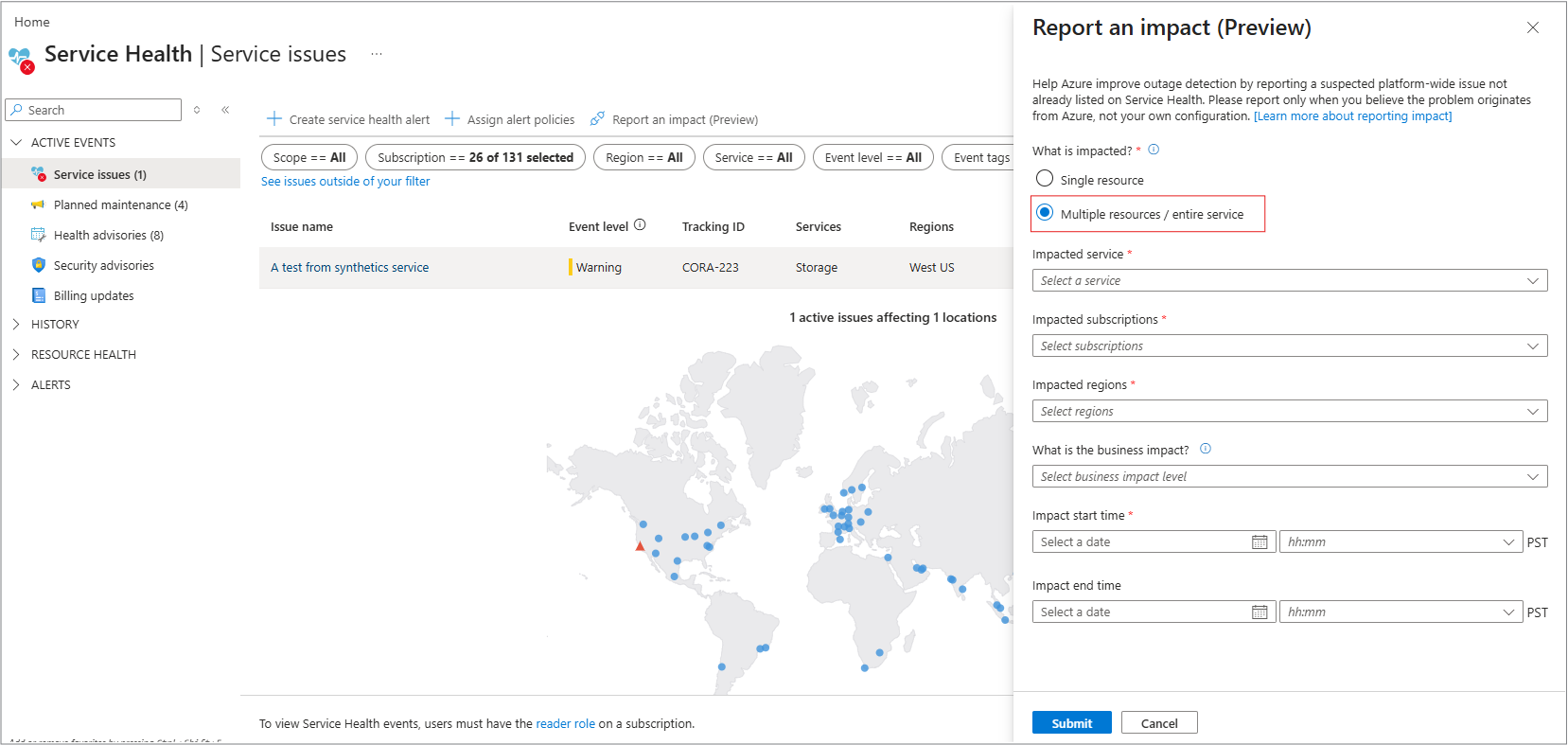
- Fill out the required fields.
- Select Submit.
When your issue is reported, you should see this message.
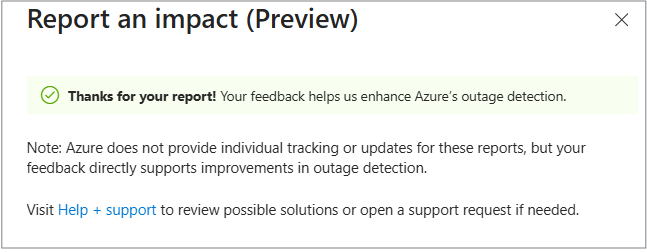
The Submit state is the same for both service and resource impacts.
What to expect after you submit an impact
We review your report, and if an outage is confirmed, it appears on the Service Issues page in Azure Service Health.
For more information about reporting, see Azure Impact reporting.
How to view the reported service impacts
You can see a list of all your reported impacts on the following panel.
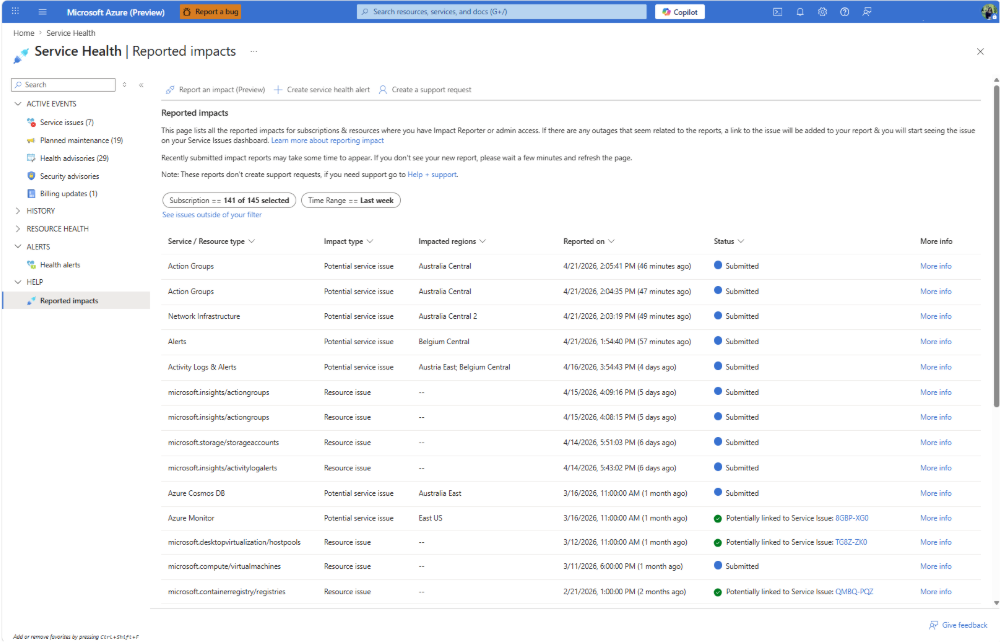
You also have the option to see the details of what was impacted in a report.
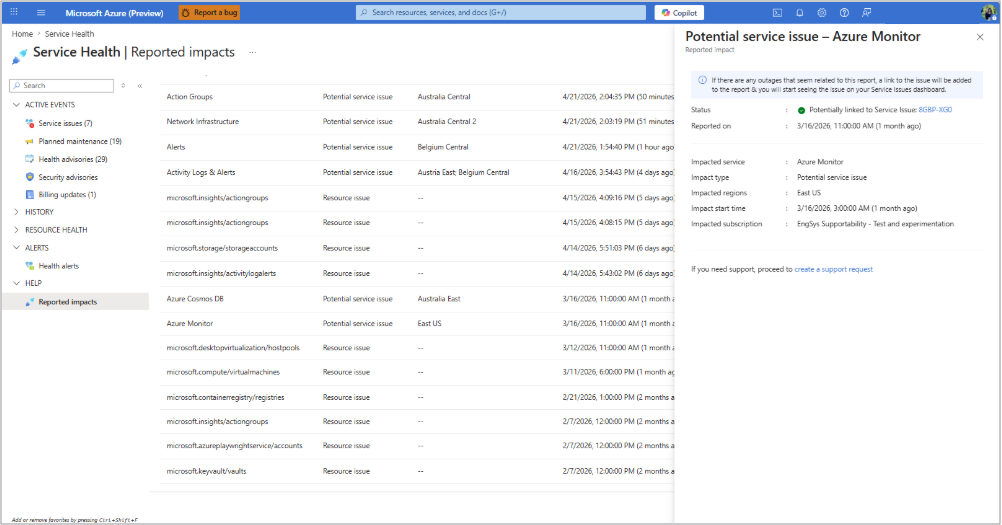
- This page shows all reports on subscriptions where you have the necessary access. This means you can see reports from other people submitted on their subscriptions.
- This page also shows reports made programmatically via the Create Workload Impacts API. For more information, see Workload Impacts-Create-REST API.
Note
Reports created in April 2026 or earlier might not appear on this page, but those reports were still processed successfully. Because of updates to the Report an Impact form preview, some older details can’t be shown here.