Note
Access to this page requires authorization. You can try signing in or changing directories.
Access to this page requires authorization. You can try changing directories.
Work order types define the general types of work that your organization offers. They let your users categorize and build different types of work orders. For example, work orders for installation, preventative maintenance, inspection, or repair. Work order types help separate work order information into views, reports, and dashboards.
In the Field Service application, change to the Settings area.
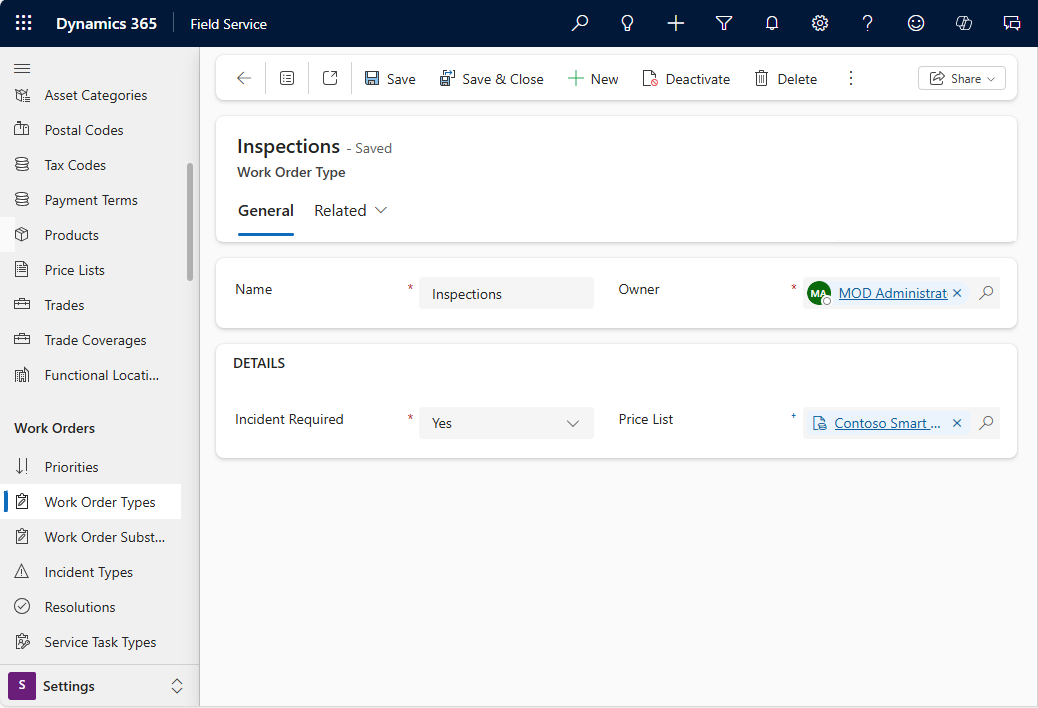
In the Work Orders section, select Work Order Types.
On the Active Work Order Types view, select New to create a new one or select an existing work order type to change it.
Choose if an incident type record is required when creating a work order.
Choose whether Service Account is required for work orders that use this work order type.
- Require Service Account for work where account-specific context is important, such as service location, billing account, price list, tax settings, service territory, customer assets, entitlements, or work instructions.
- Allow work orders without Service Account for work where the service context can come from a contact, internal team, functional location, project, integration, or another process-specific record.
Select a specific price list if you want to use it for this work order type.
If you allow work orders without Service Account, review how users provide any details that usually come from the account. For example, confirm how the work order gets its service address, billing context, price list, service territory, tax setting, and any account-specific instructions. Learn more in Configure service account requirements for work orders.
Select Save & Close.