Note
Access to this page requires authorization. You can try signing in or changing directories.
Access to this page requires authorization. You can try changing directories.
Open the Sales Opportunity Agent settings to configure or manage the agent.
Follow these steps:
In the Sales Hub app, go to Change area in the lower-left corner of the page and select App Settings.
Go to General settings > Dynamics 365 AI hub.
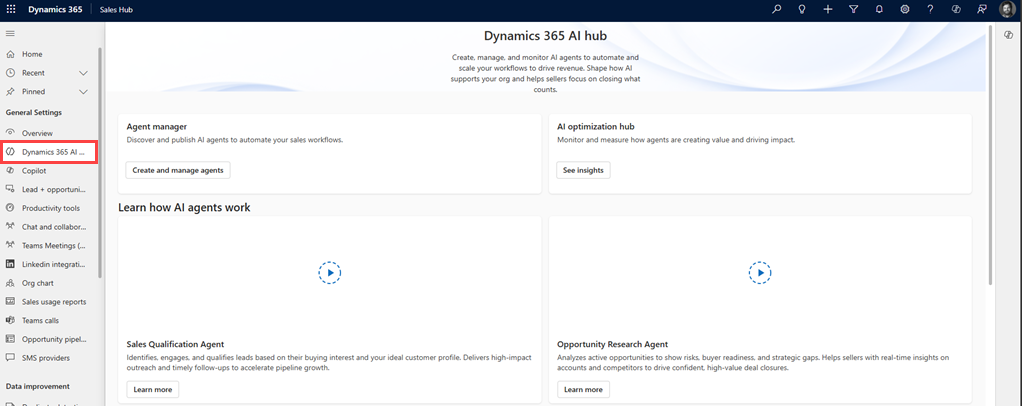
In the Agent manager section, select Create and manage agent.
The AI agent page opens.To create an agent:
- Select Create. The create an agent dialog opens.
- In the Sales Opportunity Agent section, select Choose.
Note
Your organization can have up to 10 active agent instances. If the maximum limit is reached, the option to create a new agent is inactive. For more information, see Create multiple agent instances.

To edit or deactivate the agent, in the AI agents page, from the list of agents, select the name of the Sales Opportunity Agent.
Next step
Configure requirements for Sales Opportunity Agent