Note
Access to this page requires authorization. You can try signing in or changing directories.
Access to this page requires authorization. You can try changing directories.
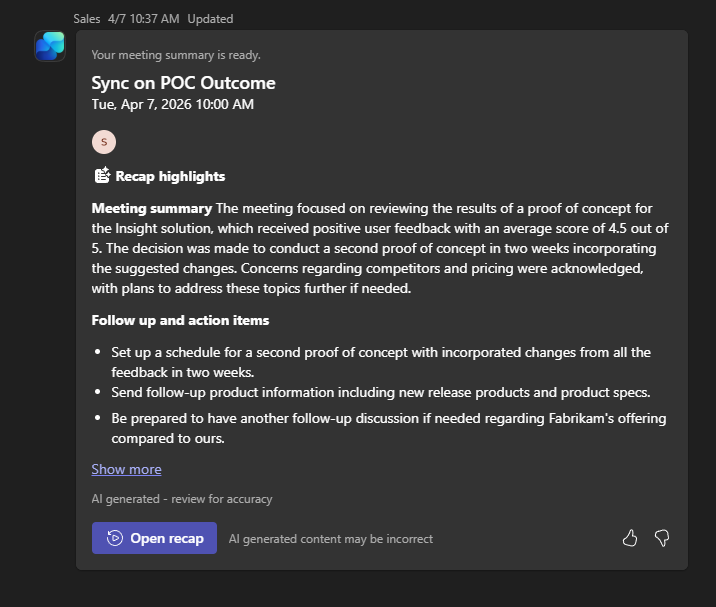
The post-meeting summary card appears in Teams after a meeting ends, once the recording and transcription are available. It gives you a quick summary of the meeting and a link to the meeting recap.
The card includes:
- Meeting details, such as title, date, and time.
- AI-generated notes that highlight key discussion points.
- Follow-up action items identified during the meeting.
- A link to open the meeting recap.
Note
- If the meeting organizer doesn't grant everyone access to the meeting recording and transcription, the post-meeting summary card isn't generated.
- The post-meeting summary card might be delayed if the meeting recording and transcription aren't processed yet. You receive a notification in Teams once the card is ready.
You can find the post-meeting summary card in:
- Your personal chat with the Sales bot.
- The Chat tab of the Sales personal app in Outlook or Teams.
You can select Open recap to open the meeting recap in Teams and view the recording, transcription, and AI-generated notes. Learn more about viewing sales insights in meeting recap.