Describe Compliance Manager
The Microsoft Purview portal
The Microsoft Purview portal is the unified portal that provides access to Microsoft Purview solutions. Solutions are organized by area:
- Core: Foundational capabilities including Audit, Data Map, Settings, and Workflows.
- Risk & Compliance: Solutions that help organizations manage critical risks and regulatory requirements, including Communication Compliance, Compliance Manager, eDiscovery, Information Barriers, and Microsoft Purview Records Management.
- Data Governance: Tools for governing data across your data estate, including Data Catalog, Data Lifecycle Management, and Data Policy.
- Data Security: Tools for protecting sensitive information, including Data Loss Prevention, Information Protection, and Insider Risk Management.
What is Compliance Manager?
Microsoft Purview Compliance Manager is one of the solutions available through the Microsoft Purview portal, under the Risk & Compliance set of solutions.
Microsoft Purview Compliance Manager is a solution that helps you automatically assess and manage compliance across your multicloud environment. This means you can track compliance not only for Microsoft 365 but also for resources in other cloud environments. Compliance Manager supports your compliance journey at every stage. It helps you identify data protection risks, implement controls, stay current with regulations and certifications, and report to auditors.
Compliance Manager helps simplify compliance and reduce risk by providing:
- Prebuilt assessments based on common regional and industry regulations and standards. Admins can also use custom assessments to help with compliance needs unique to the organization.
- Workflow capabilities that enable admins to efficiently complete risk assessments for the organization.
- Step-by-step improvement actions that admins can take to help meet regulations and standards relevant to the organization. Some actions are managed for the organization by Microsoft. Admins get implementation details and audit results for those actions.
- Compliance score, which is a calculation that helps an organization understand its overall compliance posture by measuring how it's progressing with improvement actions.
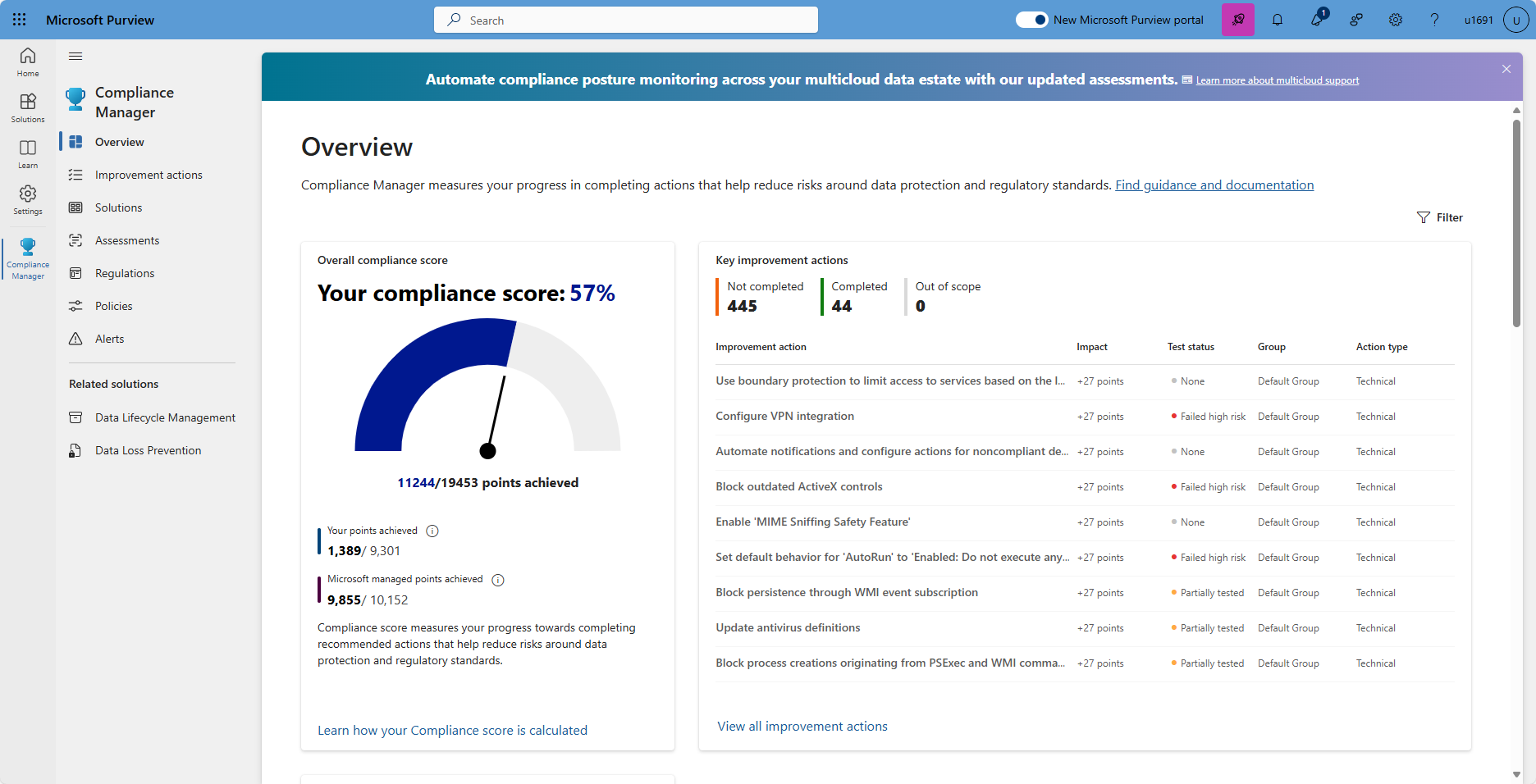
The Compliance Manager dashboard shows the current compliance score, helps admins to see what needs attention, and guides them to key improvement actions.
Compliance score
The compliance score is a key feature of Compliance Manager that helps organizations understand their compliance posture at a glance. Compliance Manager awards points for completing improvement actions that help comply with a regulation, standard, or policy. Each action has a different point value, depending on the potential risks involved.
Your compliance score consists of two types of points:
- Your points: Points from improvement actions that your organization completes. These reflect controls that your organization is responsible for implementing.
- Microsoft-managed points: Points from actions that Microsoft has already completed on your behalf as the cloud service provider.
When you first use Compliance Manager, you receive an initial score based on the Microsoft 365 data protection baseline. This baseline covers key regulations and standards for data protection and general data governance.
The compliance score helps you:
- Understand your compliance posture at a glance—a higher score means more improvement actions are completed.
- Prioritize compliance activities by focusing on improvement actions with the highest potential impact on your score.
- Track progress over time as your organization implements more controls.
- Report compliance status to leadership, auditors, and other stakeholders.
Key elements: controls, assessments, regulations, and improvement actions
Compliance Manager uses several data elements to help manage compliance activities. As admins use Compliance Manager to assign, test, and monitor compliance activities, it’s helpful to have a basic understanding of the key elements: controls, assessments, regulations, and improvement actions.
Controls
A control is a requirement of a regulation, standard, or policy. It defines how to assess and manage system configuration, organizational process, and people responsible for meeting a specific requirement of a regulation, standard, or policy.
Compliance Manager tracks the following types of controls:
- Microsoft-managed controls: controls for Microsoft cloud services, which Microsoft is responsible for implementing.
- Your controls: sometimes referred to as customer-managed controls, these are implemented and managed by the organization.
- Shared controls: responsibility for implementing these controls is shared by the organization and Microsoft.
Compliance Manager continuously assesses controls by scanning through your Microsoft 365 environment and detecting your system settings, continuously and automatically updating your technical action status.
Assessments
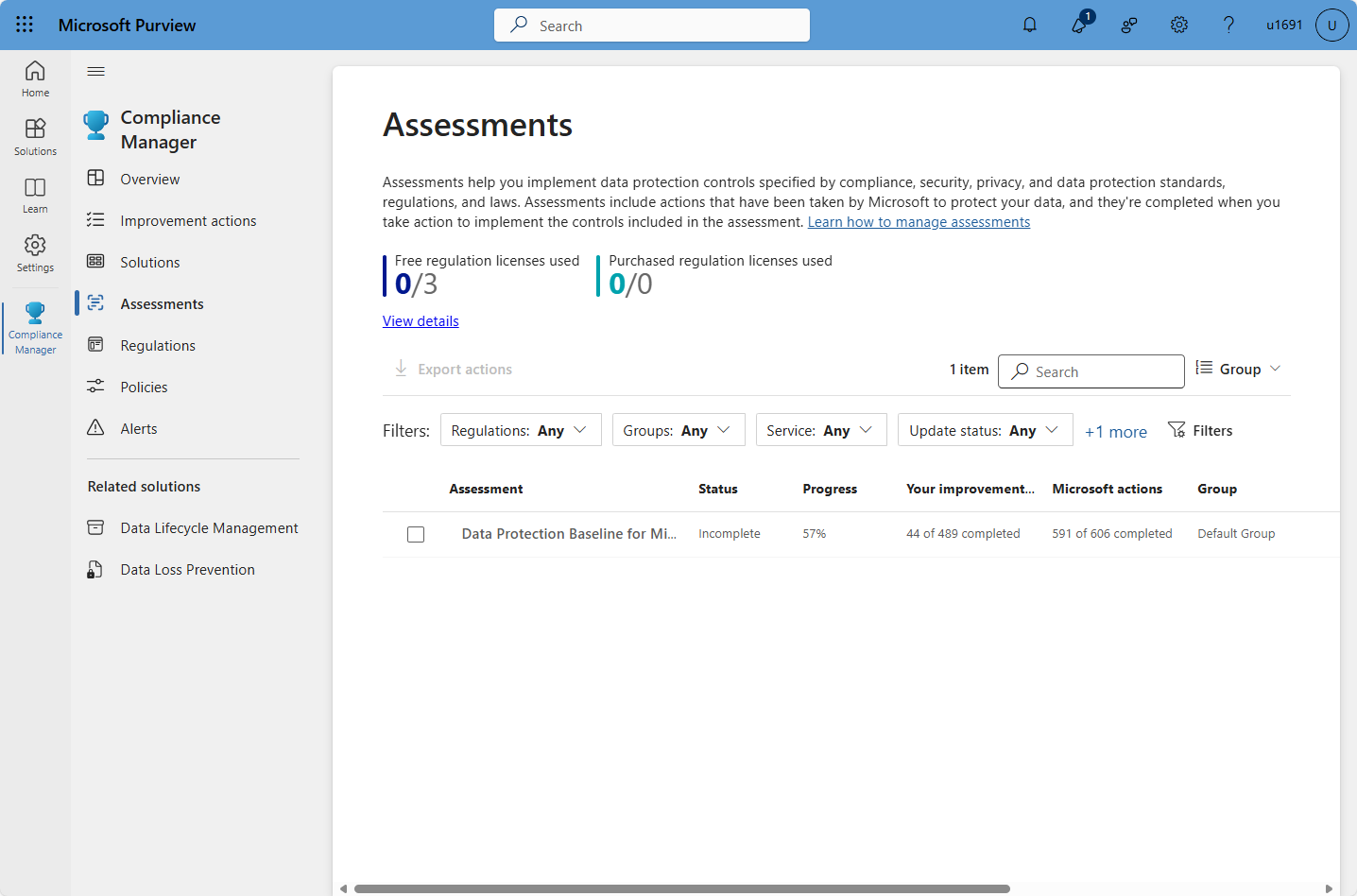
An assessment is a grouping of controls from a specific regulation, standard, or policy. Completing the actions within an assessment helps to meet the requirements of a standard, regulation, or law. For example, an organization may have an assessment that, when completed, helps to bring the organization’s Microsoft 365 settings in line with ISO 27001 requirements.
An assessment consists of several components including the services that are in scope, Microsoft-managed controls, your controls, shared controls, and an assessment score that shows progress toward completing the actions needed for compliance.
Compliance Manager provides templates to help admins quickly create assessments. They can modify these templates to create assessments optimized for their needs. All assessments are listed on the Assessments page of Compliance Manager.
Regulations
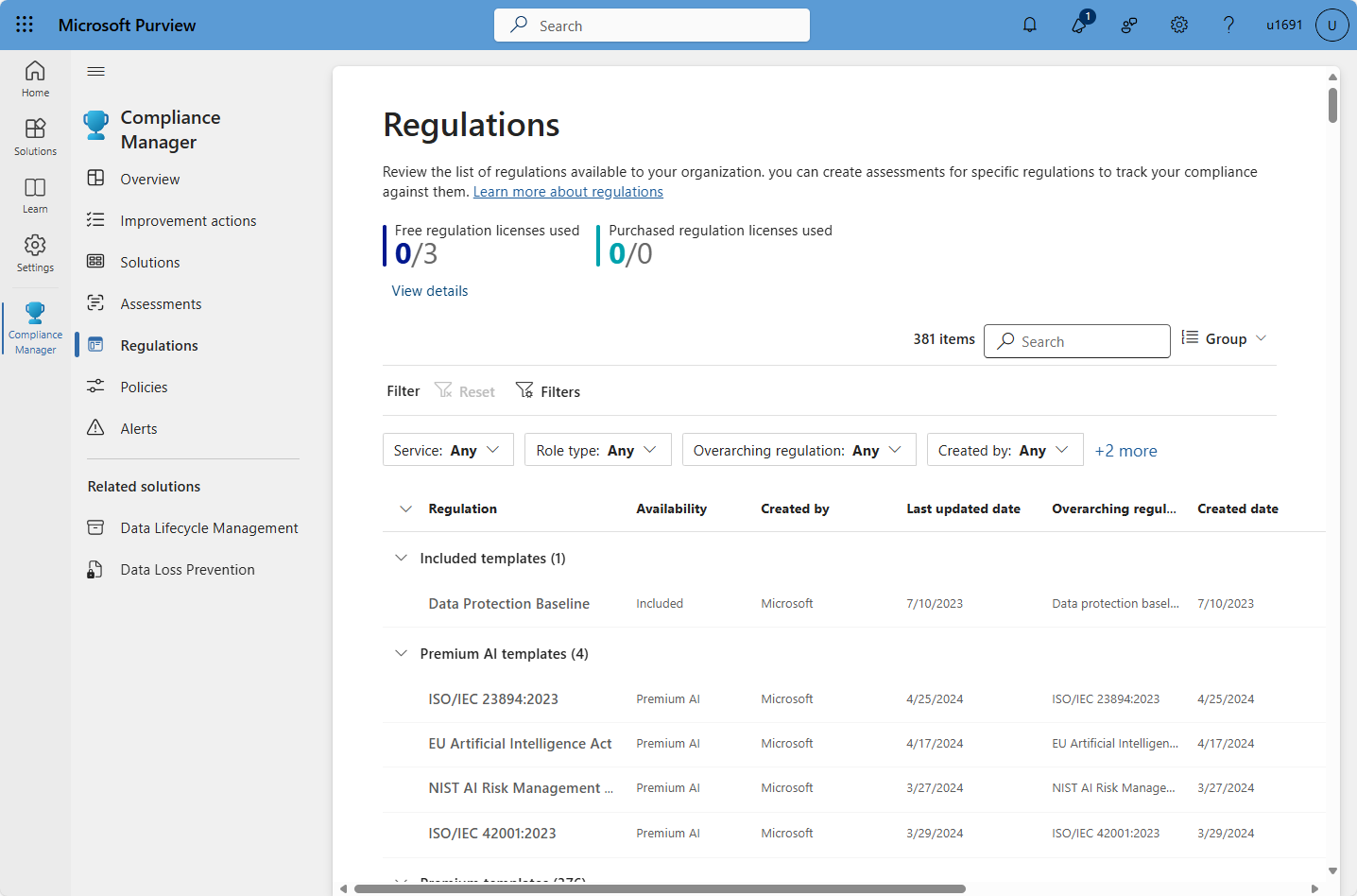
The Regulations page in Compliance Manager displays the list of regulations and certifications for which Compliance Manager provides control-mapping templates. Compliance Manager provides over 360 regulatory templates from which you can quickly create assessments.
As organizations adopt generative AI, Compliance Manager also provides regulatory templates specifically for AI regulations and standards. These templates help organizations assess and implement compliance requirements for AI apps—for example, monitoring AI interactions and preventing data loss in AI applications. This makes it easier to stay current with emerging AI governance requirements alongside existing regulatory obligations.
Improvement actions
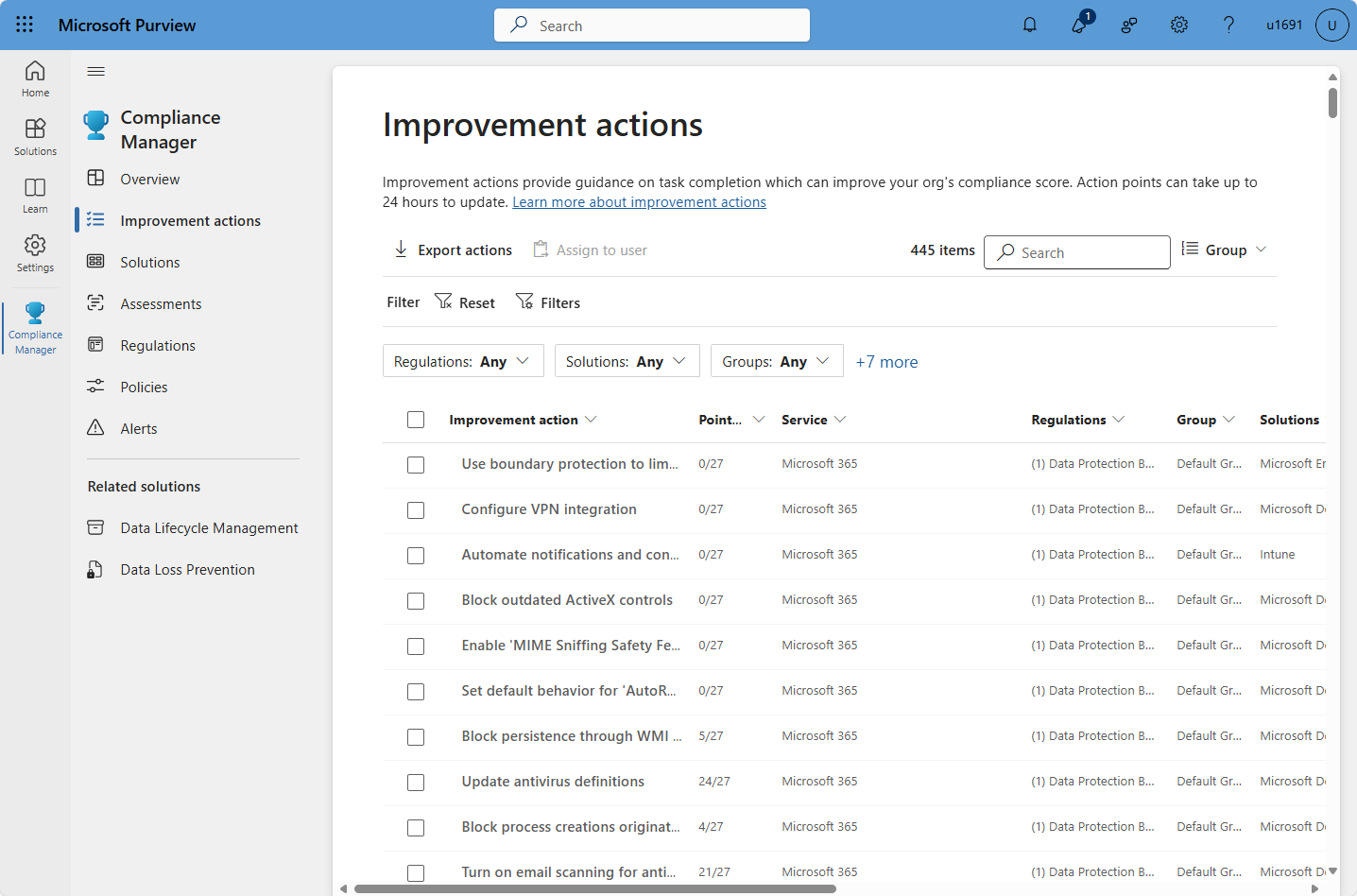
Improvement actions help centralize compliance activities. Each improvement action provides recommended guidance that's intended to help organizations to align with data protection regulations and standards. Improvement actions can be assigned to users in the organization to do implementation and testing work. Admins can also store documentation, notes, and record status updates within the improvement action.
Benefits of Compliance Manager
Compliance Manager provides many benefits, including:
- Translating complicated regulations, standards, company policies, or other control frameworks into a simple language.
- Providing access to a large variety of out-of-the-box assessments and custom assessments to help organizations with their unique compliance needs.
- Mapping regulatory controls against recommended improvement actions.
- Providing step-by-step guidance on how to implement the solutions to meet regulatory requirements.
- Helping admins and users to prioritize actions that have the highest impact on their organizational compliance by associating a score with each action.
In summary, Compliance Manager helps organizations measure progress in completing actions that help reduce risks around data protection and regulatory standards.